
Home Routines blog

  • |

    Home Routines 4.6

    We’ve added a new option for Home Routines to allow completed tasks to move to a separate section at the bottom of your routines, and the rooms in your zones. This is always how To Do lists have worked in Home Routines, but now you can choose to have a similar view for all kinds of lists. At the same time we changed to chronological order for the completed tasks section. We’ve also made the Info button always visible for tasks. This makes it faster…

  • Home Routines 4.5

    The March HR update focusses on the One Thing mode. It now works nicely in landscape orientation, when you turn your phone or iPad on its side. It also has a better layout with really large font sizes. The Big Timers also has some user interface adjustments to make it a little bit smoother.

  • |

    Home Routines 4.4

    This update focussed on making the timer feature better. Firstly, we added support for alarms, a new on iOS 26 feature, and live activities. This means the timer alarm will sound even if your phone’s on silent mode. If you have a phone with an island for the camera, you’ll also be able to see the countdown when you’re not in the Home Routines app. There’s a new quick repeat button for the timer on the Big Timer screen, and also on the lock screen…

  • |

    Improving the Big Timer

    Our latest update has added some new bits and bobs to the handy timer. I wanted to mention the Big Timer view, in case you hadn’t tried it out. Just tap the little arrow after you start the timer. You can also rotate your phone to get an even larger landscape view. (Though you may need to alter your phone rotation settings for this to work) We have also added a neat feature to the big timer, where it will count up extra time after…

  • | |

    Create your own zone cleaning lists without overwhelm

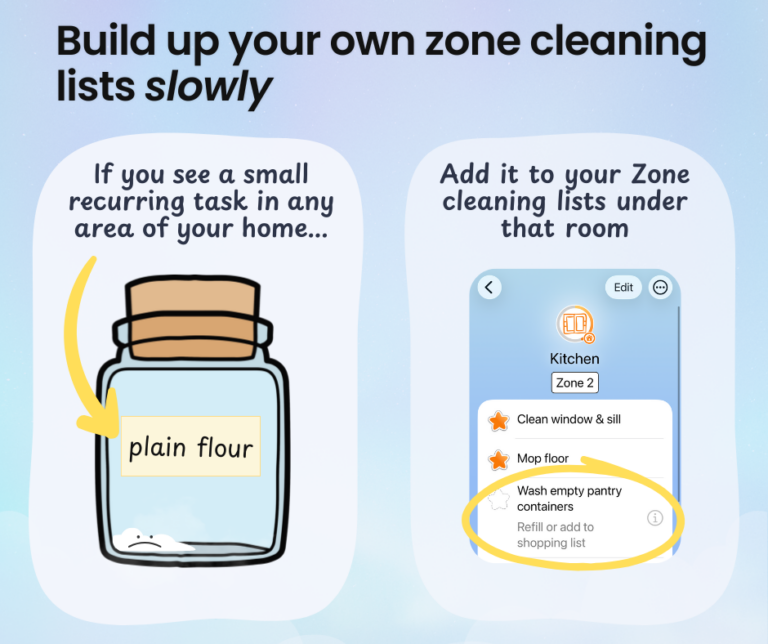
    When it comes down to it, the idea of zone cleaning is based on two things: Home Routines app has a flexible Zone cleaning section you can use to plan and manage this. We’re not locked to anyone’s system. It works with your looping schedule, or day of the week. You can even customise an alternative “Flylady” style week-of-the month schedule. How to build up your zone cleaning lists We have put some basic tasks into the zone room lists, but you know what’s in…

  • |

    Newsletter January 2026

    ⭐️ Happy New Year, friends! ⭐️ I hope 2026 has started well for you. We had a quiet break at home, reset the house after hosting Christmas, and are wondering what this new year will bring. The school year starts in late January here in New Zealand, right at the peak of summer. I fondly recall the smell of fresh stationery on those first, hot days back. Those memories of sharp HB pencils and crisp new exercise books are probably why a lot of us…

  • |

    Tidying up on a wild goose chase

    Happy New Year, friends! We have had a very nice Christmas, hosted my family for a lovely lunch, and spent a quiet New Year’s Eve at home. I really like Christmas, but it sure does add plenty of extra objects and events to my space. I have packed up most of the main decorations already, but every time I turn around there seems to be something else that’s popped up in the wrong place. It doesn’t help that hosting always involves a certain amount of…

  • Home Routines 4.3

    In November we updated Home Routines to support the iOS 26 “Liquid Glass” design 🫧. We’ve also improved some other things: 🌝 Better dark mode!You can now switch between dark and light mode in Settings.We’ve also improved the dark mode versions of some of the backgrounds. ⌚️ Older Apple watches supportThe Home Routines watch app now also works on some older versions of WatchOS. If it didn’t work with your watch before, give it another try! 🪲 We squashed some annoying bugs, including one where…