Home Routines Classic Help
We have released a brand new version of Home Routines (it’s free!) so we have taken the help for the “Classic” Home Routines app offline so we don’t cause too much confusion. Please still feel free to contact us if you have questions or issues related to the Classic app, or the associated my.homeroutines.com sync service.
You can continue to use the Classic one, though we’d love you to give the new one a go! We think it’s pretty neat.
You can read about it at homeroutines.com

Will the new app overwrite and replace my previously purchased app?
No, this one is totally separate. The update will not affect your old app.
Can I keep using the old one?
Yes, you can keep using the old one, though we encourage you to try out the new version!
Can I import the data from the old one?
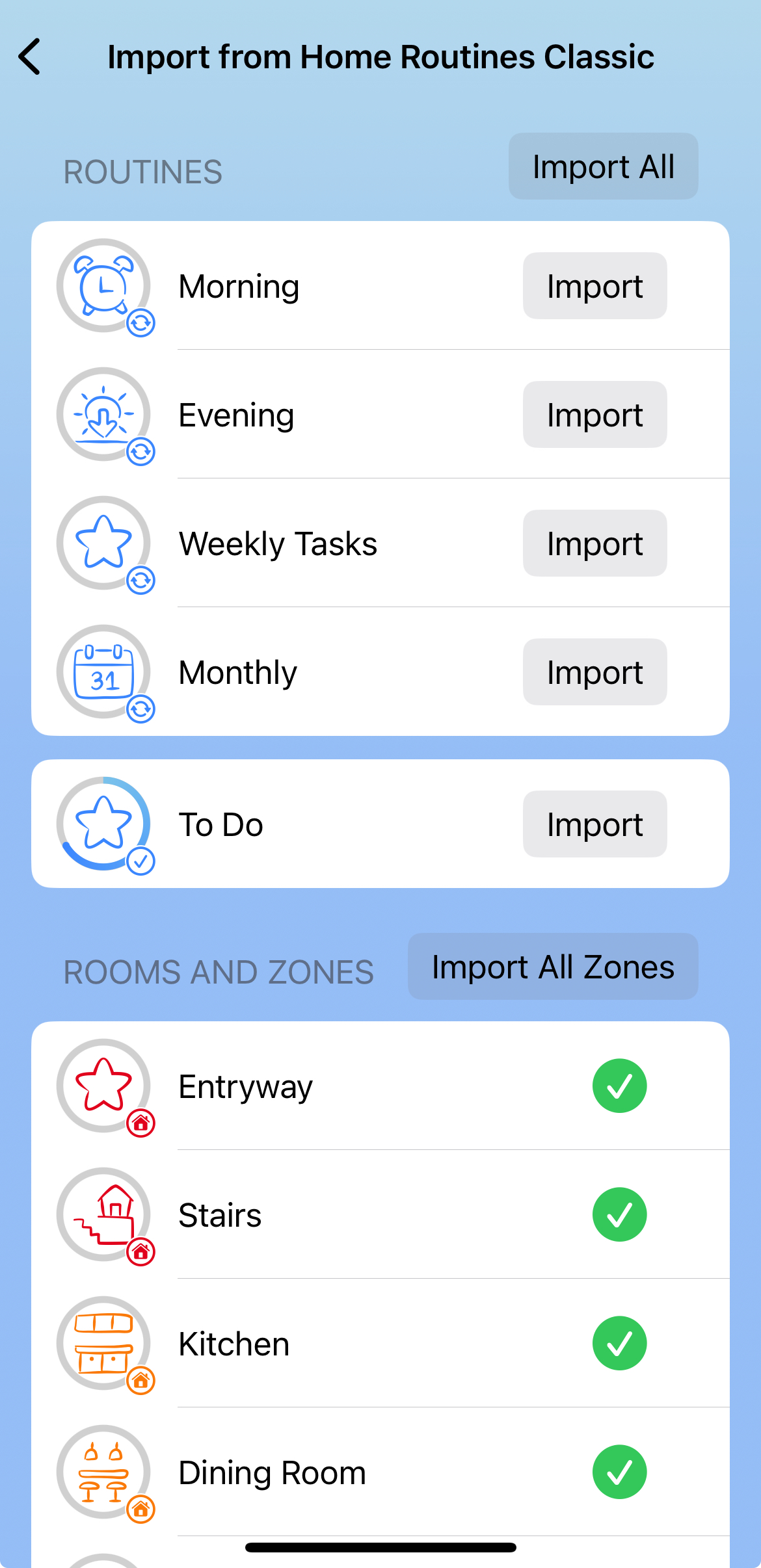
Yes – when you install the new app, it will detect that you have existing Home Routines data, and offer to copy it across to get you started in the new app. You will be able to choose which lists to copy across, and if you want to also copy across your zones.
If you skip past this when you first install, you will be able to find it again on the Settings page of the new app.
The data will move only one way (from the old to the new app). If you change things on the new one, it won’t sync backwards to the old app.
However, if you do make changes on your old app, you can re-visit this Import screen and sync those across.
Will the Classic app keep working?
The app on your device will keep working as long as it still meets the App Store’s requirements. We won’t be adding any major updates or new features to it, though.
Will the My.HomeRoutines sync keep working with the Classic app?
We will also keep this working as long as we can with the current server.
The new app stores all data in your iCloud account instead.
Is there a web-based interface for the new app?
There isn’t a web-based interface for the new app. We designed that interface when phones were really small!
Copy and paste works well in the new app. As an alternative, type up a list on your computer that you can view on your phone, then and paste it in.
Where is Home Routines Classic in the App Store?
We have deleted the app from the App store in order to avoid confusion, but you will be able to get it from the Purchase History area of the app store.
More help: