
Focus Zones
Zone cleaning is the concept of dividing your house into several “Zones,” each containing one or more rooms or areas. These Zones are then put into a regular, rotating schedule. Usually you will spend a week in each Zone.
During that week you will focus your energy in those particular rooms, working in short bursts on detailed cleaning, decluttering and decorating tasks.
You will see the Zones area on the front page, under the other lists:
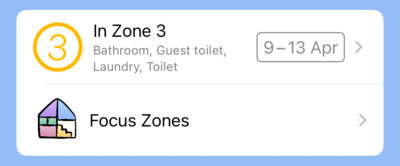
The top row shows the current (or upcoming) Zone. You can tap straight in there and start completing tasks in the pre-filled current zone.
Below it you can tap Focus Zones to edit your schedule and rearrange the rooms – you’ll probably want to customise it a bit.
Set up your Zones
When you tap Focus Zones on the home page. The Focus Zones page will open up.
We’ve set it up with some basic rooms/areas, within four Zones, each of which is a week long. (You can change this)
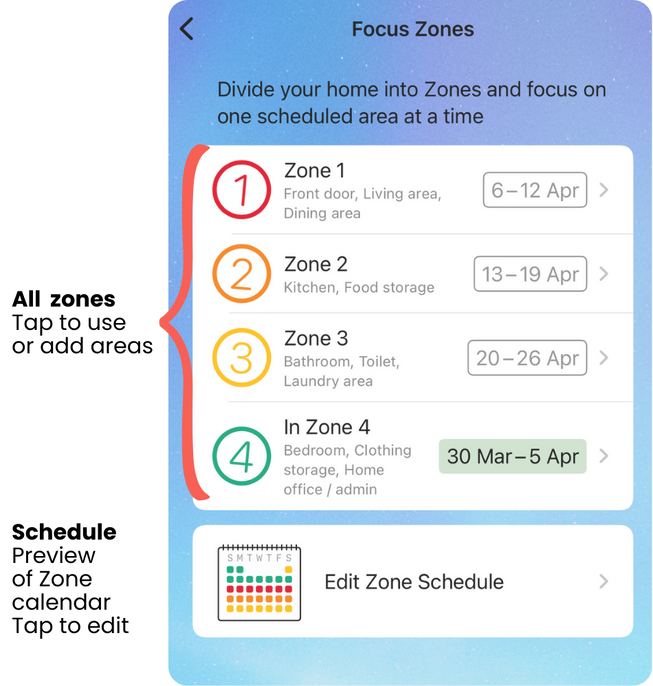
You can see how these rooms are divided between the Zones, and a basic schedule is in place.
You can tap a Zone to go into it and see the Rooms.
Next to each zone you can see the dates it is next scheduled, based on the current schedule selection. The “current” zone will be highlighted.
Zone Schedule Screen
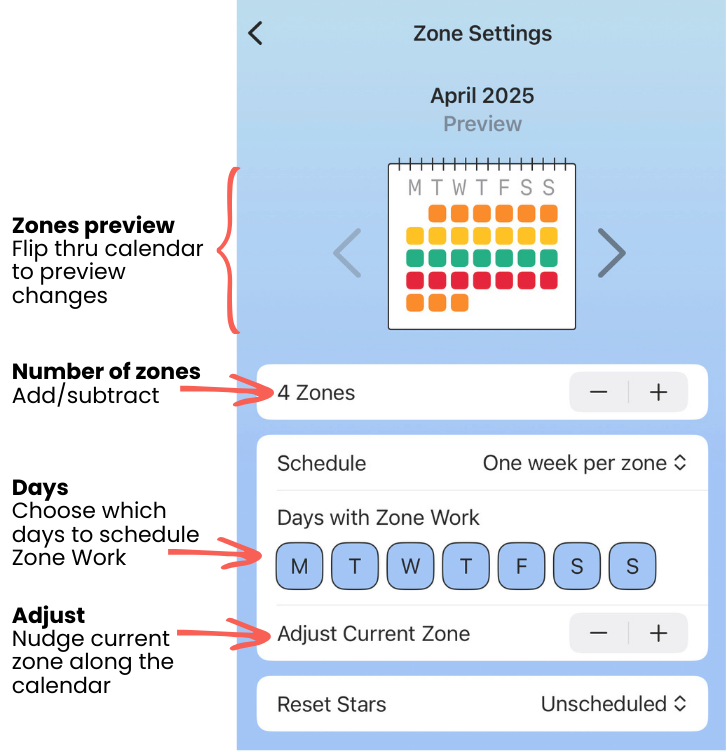
This is the Zone Schedule Screen.
The preview calendar shows you the effect of the choices you make below it. It’s useful if you’re experimenting with the different options. (It doesn’t lock anything onto an actual calendar)
Number of Zones
You can add and subtract zones up to a maximum of 14 zones, but around 4 to 6 probably works best.
Schedule Type
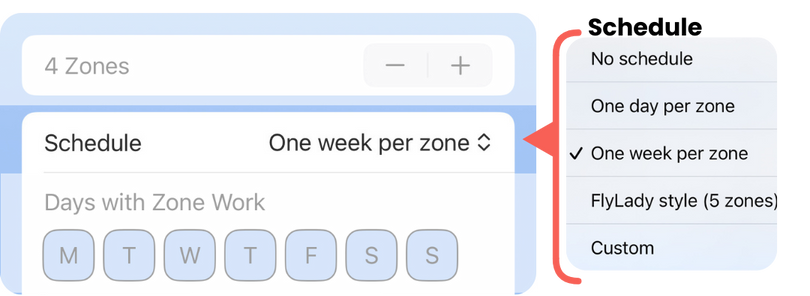
Here you can choose the type of Zone schedule you prefer:
- No schedule: you will choose a Zone manually to work on as you choose. This essentially uses the zones section as a set of folders with task lists in them.
- One day per zone: Monday is Zone 1, Tuesday is Zone 2, Wednesday is Zone 3 (etc)
- One week per zone: Loop through a series of whole weeks. The first week is Zone 1, followed by Zone 2, etc. When you get to the end, you’re back to Zone 1 again. This is probably the best option!
- Flylady style: If you know you know. This is a 5 zone schedule that’s locked to the weeks of the month, and probably most useful if you’re already familiar with that system. Zone 1 is the first partial week of the month, and Zone 5 is the last partial week, with Zones 2,3,4 being the whole weeks in between.
- Custom: You can add a custom schedule with a premium subscription. More info below.
Days with Zone Work
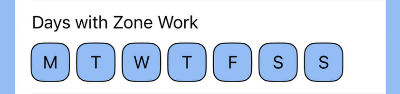
(🩷 Premium feature) This lets you choose days that you’ll be available to work in your zones. On days without Zone work, you will not see Zone tasks pop up in your One Thing mode etc.
Custom Zone Schedule
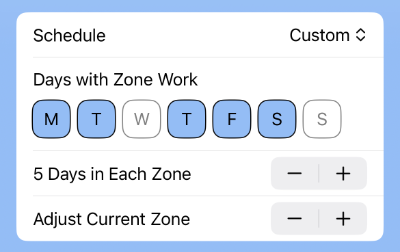
(🩷 Premium feature) Choose exactly how many days you wish to spend per zone. You can combine this with selected days to spread out your zones in, say, three day periods that skip over your unavailable days.
Adjust Current Zone

Use the plus and minus buttons to “nudge” your zone along the calendar days and weeks. (Use this to catch up with where you are in your own system, or if you want to get your Zones in sync with a friend.
Reset Stars
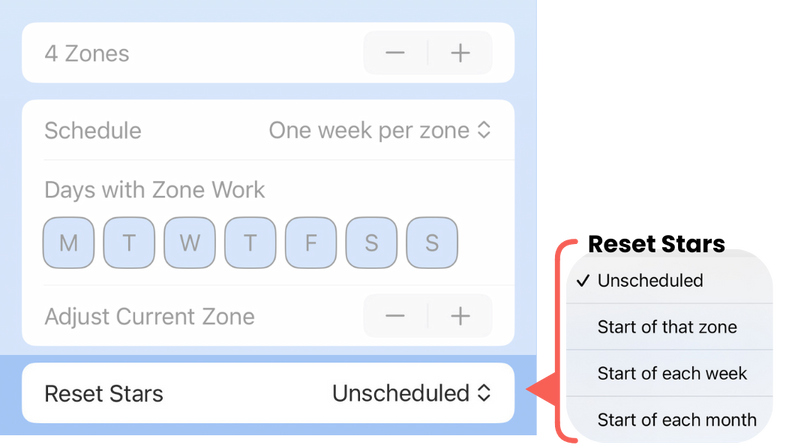
Choose when the task completion stars will reset on your room lists.
- Unscheduled: You can clear stars manually when you want from the More Options menu
- Start of that zone: Stars in a particular zone reset when you reach the start of that zone in your schedule
- Start of each week: All zone stars reset at the start of each week
- Start of each month: All zone stars reset on the first day of each month
Set up Rooms in Zones
Tap into a Zone and you will see the list of rooms in that zone.
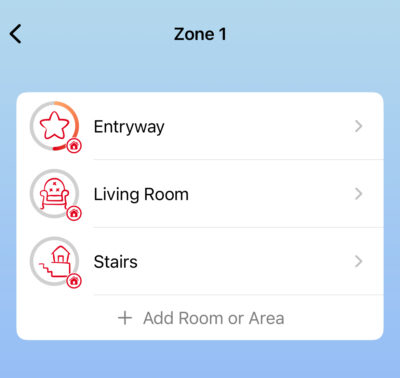
Tap a room to open it to work on those tasks, or edit the room.
Edit a Room
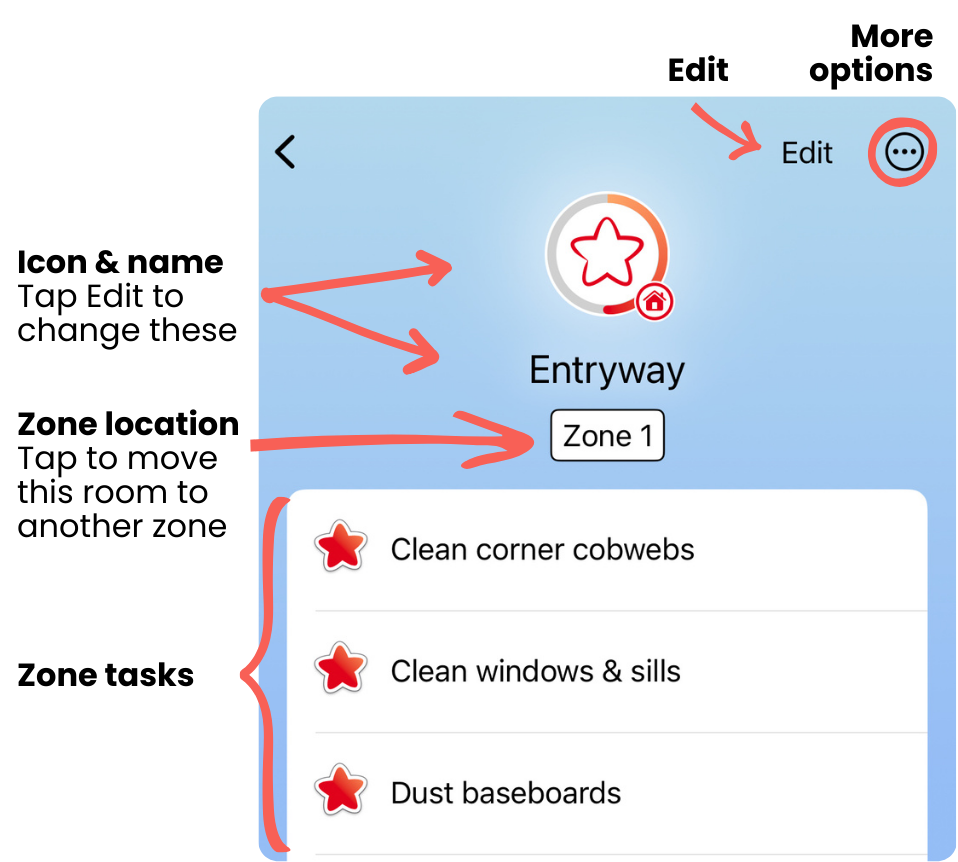
You can edit and complete tasks in rooms the same way as you do in Routines. Tap Edit to quickly rearrange and delete tasks.
There are some very useful options available under the More Options menu in the corner.
Duplicate a Room
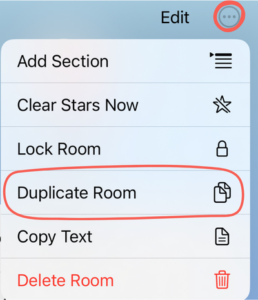
The Duplicate Room option on the More Options menu is very useful. You can use it to make a new copy of a whole Room list.

HINT: Get one room set up just how you like it, then duplicate it.
You can read about the other menu choices on the More Options Menu page
Move a Room to another Zone
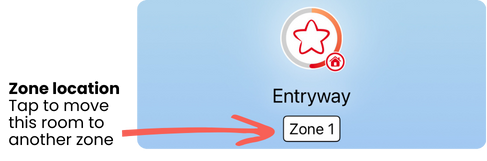
Tap the Zone number under the room icon and choose another Zone to relocate it.
One Thing mode in Zones

Tap the One Thing icon on the right of the toolbar to step through the tasks in the selected Zone or Room, one task at a time.
Add extra information to a Zone task

When you add a task to a room, an info icon will appear.
Tap this to add additional information to that task such as notes, task frequency, and to view the last completed date.
You can also add these from the Edit menu at the top of the screen.
This is especially useful for tasks like replacing air conditioner filters, or cleaning your oven, that aren’t due every month but certainly need doing!
Read more about adding additional information.
Rooms Not in a Zone

If you reduce the number of Zones, you might leave some rooms stranded outside the schedule. They will go into a new box called Rooms Not in a Zone.
You could use this to your advantage if you have some lesser-used rooms that you want to keep lists for, but don’t want to have in your usual, frequent rotation.
Share a Zone or Room
We don’t offer sharing on Zone or Room lists yet.