Giving your House a Makeover with HomeRoutines: Step One: Decluttering

There is a four step process to giving your house a makeover, bit by bit, and all the steps work great in HomeRoutines.

  1. Decluttering your Focus zones
  2. Detailed Cleaning in your Focus zones
  3. Simple Improvements
  4. Maintenance

Over the next little while, I’ll be working through each of these steps, and how the HomeRoutines app can help keep you focused.

Minor Chaos in Underthebedland

1: Decluttering your Focus zones

Before you can start really cleaning out your home, you need to get rid of the clutter around the place.  There’s not much point dusting your shelves or polishing your kitchen table if they’re covered in crap items you don’t really love or find to be beautiful or useful. I don’t think we ever get to stop decluttering, because (despite our best intentions) there is always more stuff coming into our homes.  To keep in balance, some stuff needs to go out again… in the trash, to recycle, to a friend or relation, to the thrift store, to sell online, or a garage sale. The main thing is it has to go.

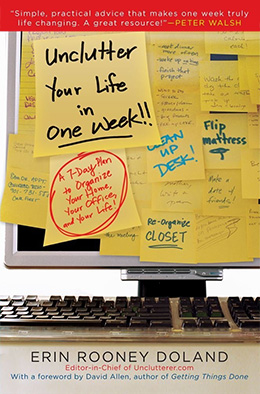
I’m only just getting what it means to really declutter, so I’ll leave the explanations to the experts:

How can HomeRoutines help you declutter?

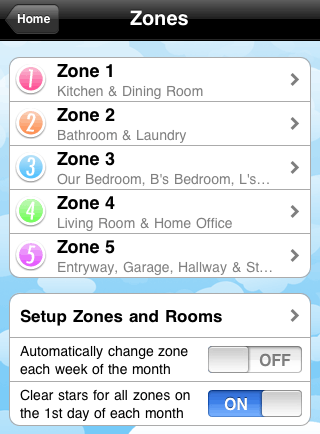
Take a walk around your house and just note down in your  customized Focus zones, the areas that need reviewing or decluttering.  You might want to even delete the cleaning tasks in your Focus zones lists for now. The time for detailed cleaning will come, but not yet.

(Don’t burn yourself out, though, and if you haven’t got your basic routines going yet, focus on that to start with or it will all fall to pieces.)

For example, in my daughter’s room I need to declutter by:

Decluttering Zone 4

Now you’ve got a list, don’t go rushing around like a headless chook trying to do everything at once, or you’ll end up with the contents of all the drawers and cupboards in the middle of your floor and it will be a horrible, overwhelming mess. Been there, done that, and it sucked. Badly.

Like the FlyLady says, Your homes did not get messy in a day and they will not get clean overnight.

So, each day, when you’ve got a few minutes, you can have a look at your Focus zone list and pick one or two jobs off your decluttering list, for one room.  Set the timer if it will help to keep you focused, don’t start unpacking everything, and get ready to make some decisions.  If you do a bit of decluttering each day or so, after a few months you’ll feel like you have more room to breathe, and soon you’ll be ready to start your detailed cleaning in your Focus zones.

  • Facebook
  • Twitter
  • Google Reader
  • Share/Bookmark

Category : Features

HomeRoutines Review Roundup

5 Jars of Applesauce

APPlesauce

Even if you’re not an avid Flybaby, HomeRoutines will help you keep up with all those mundane little chores, and keep your home looking company-ready at all times. Set up is quick and easy, and once you’ve customized your routines and zones, all you have to do is open the app and tap those gold stars as you get things done. HomeRoutines is well-worth its $4.99 price, and earns five jars of applesauce!

sCommerce

This app is definitely worth the effort and is a great way to organize your home life to keep yourself on task.

The Urban HausFrau

Instead of emails a bazillion times a day, I have HomeRoutines. I LOVE my iPhone and have come to rely on it’s handy dandy apps for almost everything so for me, this is a good fit.  I’m a list making, gold star loving kinda girl…now if I can only figure out how to get the virtual gold stars on my forehead.

Mommyhood Adventures

Another thing that makes me happy is this itouch/iphone app called HomeRoutines. It helps me stay on top of the things I need to get done each day at my house. It has lists of common household routines that you can customize. It’s for those of us that like to make lists and cross them off, without having to think of what you need to do in your routine and write it down everyday. Saves paper and you get stars when things are done! Whoo hoo! Who wouldn’t want a gold star?!?!

  • Facebook
  • Twitter
  • Google Reader
  • Share/Bookmark

Category : Blog & Reviews

Fun Family Ideas – a great use for HomeRoutines’ Daily Reminders

Screenshot of HomeRoutines showing family fun ideas

We got a nice review on the App Store the other day from Jennspire, who wrote:

I downloaded this app this evening and I’m up WAY past my bedtime because I’m still playing. I recently left my job to become a sahm (to a 6 year old) and this app is a great way to help me get a grip my new priorities. I love the daily note – I used it to remind myself of the fun things that never seem to get done (“art fun day” “silly dance afternoon” “family walk night” and “mom’s pampering night”). I can’t wait to keep evolving this app – and myself – as I learn to “fly” for my family!

What a brilliant idea, Jennspire! The Daily Reminders on your home screen are an excellent place to put all sorts of reminders. Another reviewer mentioned using them to remind her of her daily fitness goals.

PS: I added “Make cookies” to the screenshot I made up there, because … mmm, cookies.

Do you use your Daily Reminders for something interesting? Leave us a comment!

  • Facebook
  • Twitter
  • Google Reader
  • Share/Bookmark

Category : Features & HomeRoutines Hacks & Reviews

HomeRoutines featured on the App Store as New and Noteworthy

New and Noteworthy
We are note worthy!  We are note worthy!

  • Facebook
  • Twitter
  • Google Reader
  • Share/Bookmark

Category : News

15 Minutes* in the Dining Room Hotspot of DOOM

Before and after - you can tell which is which, right? *pleads*

I’ve got this pair of little black shelves in my dining room, and I had not been keeping up with it.  Oh, no,  I had not.  But last week was dining room week in my focus zones, and something had to be done.  So I set my HomeRoutines 15 minute timer and got on with it.

To be honest, I had to set my timer twice, because I got kind of distracted by the kids and a text from my sister reminding me I needed to send a message on facebook to somebody because it was his birthday. Urgent, right?  I should have waited for the timer to finish for that… but still. Also that basket of paper took some sorting.

By the time the Music! of Triumph! went off at the end of the second 15-minute chunk, the shelves (and the noticeboard above them) were looking quite a lot better, and there was less of a pile-up of kids’ art, bills, school documents and so forth all tumbled together on the top.  And I took back the DVDs to the shop. Now the girls have a  better place for their crayons, and a basket-full of recycled computer paper to draw on.

I don’t know what’s in those red-and-black baskets.  That must be my 15 minutes for next month!

* and then some.

HomeRoutines Timer complete

  • Facebook
  • Twitter
  • Google Reader
  • Share/Bookmark

Category : Features

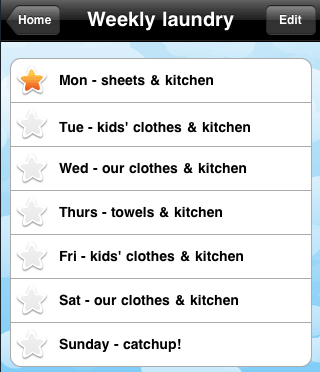
Routines: Good and bad examples

Creating your own routines is a great way to get in the habit of completing the regular tasks you do throughout the day. Everybody has some sort of routine, but it is not always a good one.  A few years ago I had a really crappy morning routine. It involved waking up late, rummaging through a pile of washing, ironing something from the pile, brushing my teeth and running to the bus-stop without any breakfast.  Then there was that one bus driver who would flash his lights at me.  I had to change my schedule to catch a different bus.

That was not a good routine.

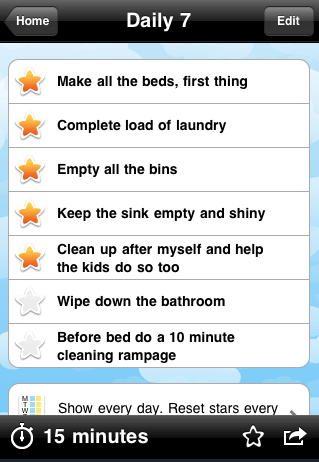
Here are some examples of good routines.

If you put your routines into the HomeRoutines app (or write them down on paper in a home management notebook!) it has such a powerful effect.  Firstly, it is a reminder of the tasks that you have chosen to be most important.  And secondly, it’s a really nice feeling when you complete a task and you mark it as complete.  That’s why you get to give yourself a gold star when you complete a task with HomeRoutines.

star

The app also lets you give yourself credit for the regular, routine jobs that do not register in your brain somehow (which leads to the horrible “Did I lock the house?” feeling because you’ve been running on autopilot)

That autopilot effect sometimes makes us feel like we haven’t done anything at all, all day – especially for stay-at-home parents who have little children running in circles around them all day.  So HomeRoutines has a daily Accomplishments screen: it compiles everything you’ve done, from your ToDo list and your Routines and Focus Zone work.

I read something good today on the Zen Family Habits blog. In an article about assessing your work, particularly as a SAHM, it ends with some positive advice:

Finally, celebrate. Celebrate your victories no matter how small. So you haven’t accomplished all you’ve set out to do. So what? Maybe you’ve finished some small yet significant task. Celebrate!

HomeRoutines Accomplishments screen lets you review everything you got done today

  • Facebook
  • Twitter
  • Google Reader
  • Share/Bookmark

Category : Features

Keep your HomeRoutines on your iPhone or iPod Touch

HomeRoutines is an app to manage repititive tasks and routines in your daily life.

HomeRoutines is a happy place for all those repetitive (and often thankless) jobs that come with running a household.  Each time you complete a job or routine, you give yourself a star.  At the end of the day, you can look at the Accomplishments screen and see how much you got done – even on the days that it feels like you didn’t do anything.

HomeRoutines is ideal to store your own personalized routines and detailed cleaning tasks,  whether they are your very own or based on a system like FlyLady or Motivated Moms.

We always welcome feedback and questions – just email support@homeroutines.com.

  • Facebook
  • Twitter
  • Google Reader
  • Share/Bookmark

Category : Features

About HomeRoutines

A fab app for iPhone or iPod touch - manage your household routines without going nuts or feeling guilty. Gold star!

Stay in touch!